
PCM EX-ploration
“Our Tribute to the Greatest Vintage PCM Synths”
A focused collection of 31 individual sounds inspired by the character of vintage PCM synthesizers and workstations—complete with electric pianos, pads, strings, bells, synths, guitars, brass, glide-ready textures and more than 40 prepared snapshots.
Requires Kontakt Full 6.7.1 or newer, including Kontakt 7 or Kontakt 8 Full. It does not work in the free Kontakt Player.
The Sound of an Ambitious Era
A Tribute to Vintage PCM Workstations
PCM EX-ploration celebrates the sampled keyboard character of late-1980s and 1990s synthesizers—an era when manufacturers attempted to place complete musical worlds inside one instrument.
Inspired by the Legendary EX Era
The primary sound group draws inspiration from a late-1990s workstation remembered for combining a powerful PCM engine with several ambitious forms of synthesis and physical modeling.
PCM EX-ploration does not attempt to recreate those additional synthesis engines. Instead, it focuses on the sampled PCM character that made those keyboards so useful to working musicians.
Digital, layered and character electric-piano tones with unmistakable workstation-era color.
Smooth, moving and glassy textures suited to Gospel, R&B, Neo-Soul and soundtrack work.
Bells, synths, guitars, brass and supporting sounds drawn from classic sampled-keyboard traditions.
The vintage source character is paired with glide, portamento, effects and four-element editing.
Inside the Library
Vintage Character. Performance-Ready Sounds.
Thirty-one individual sounds cover the core categories associated with classic PCM synthesizers and workstation keyboards.
Electric Pianos
Digital, tine-inspired and layered electric-piano sounds for ballads, worship and Neo-Soul.
Pads & Strings
Smooth layers, ensemble textures and evolving workstation-style atmospheres.
Bells & Keys
Bright digital colors for introductions, melodies, layering and supporting parts.
Synth Textures
Sampled synth character, layered timbres and sounds designed for glide-based performance.
Guitars
PCM guitar colors suitable for keyboard layers, rhythmic parts and workstation-style performances.
Brass
Section brass and supporting tones for Gospel, fusion, praise and layered arrangements.
Supporting Colors
Additional PCM textures chosen to expand the library beyond its core electric pianos and pads.
Four-Part Layers
Combine any four sounds into splits, stacks, performance patches and expressive layers.

More Than 40 Snapshots
Kontakt snapshots store complete library states, allowing you to recall individual sounds, layered textures, glide pads, electric-piano combinations and performance-ready setups.
- Organized preset categories
- Single sounds and layered combinations
- Dedicated glide-based presets
- User snapshots can be saved directly in Kontakt
A Signature Performance Feature
R&B and Neo-Soul Glide
Create the pitch-release chord effect heard throughout Gospel, R&B, Hip-Hop and Neo-Soul—independently on each of the four Wise Engine elements.
Built for the Chord Glides You Hear
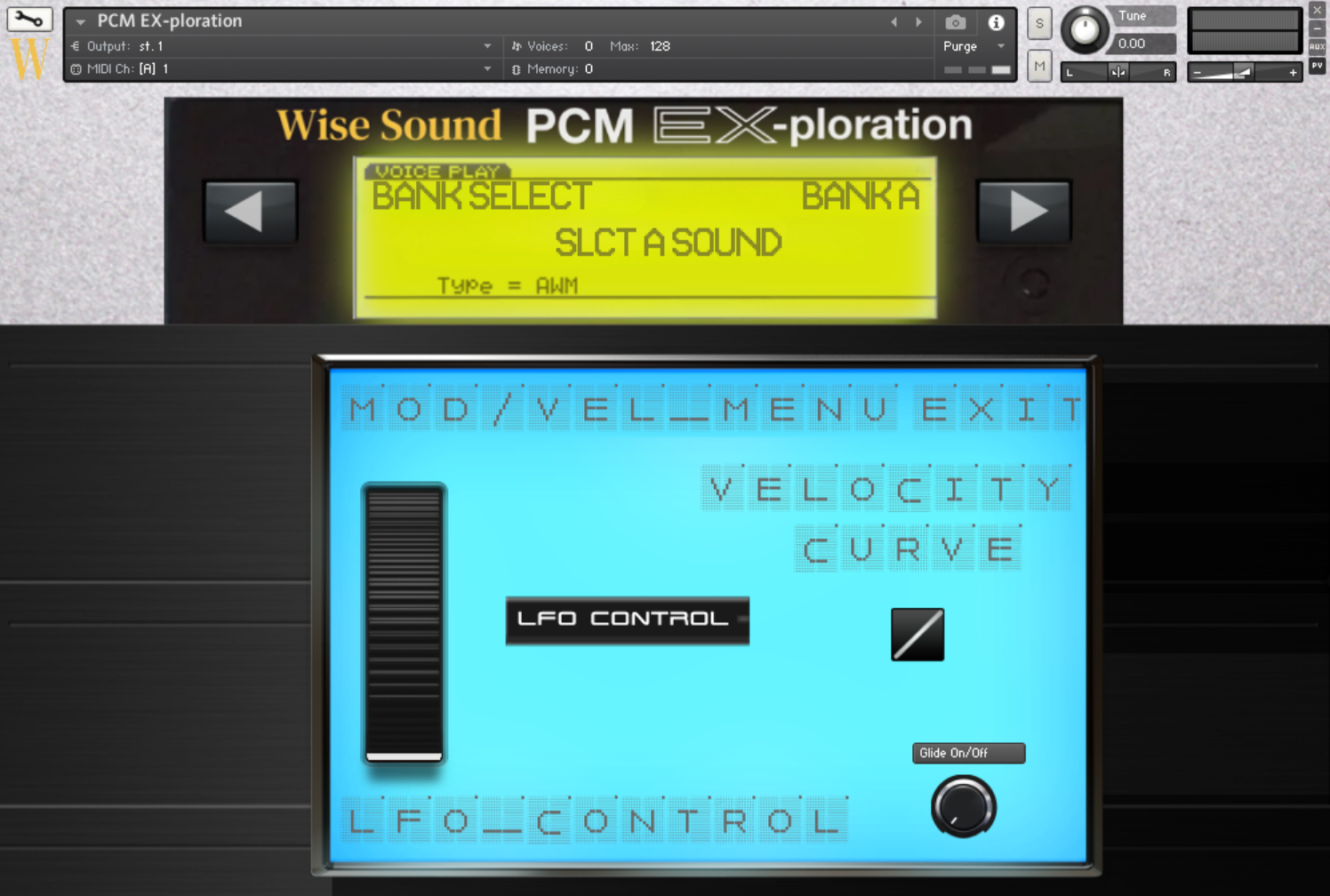
Glide bends the pitch during the initial attack of a selected sound. The result resembles playing a chord while releasing a pitch-bend movement smoothly back to its normal tuning.
Because glide is available independently on all four elements, one layer can bend while the other layers remain stable.
Activate and adjust glide separately for each element.
Shape the response and movement according to playing dynamics.
Route modulation control to the mod wheel or aftertouch.
Recall prepared glide-pad and layered performance snapshots.
The Instrument Behind the Sounds
The Four-Element Wise Engine
Layer, split, shape and process four sounds inside one custom Kontakt instrument.
Four Elements. One Complete Patch.
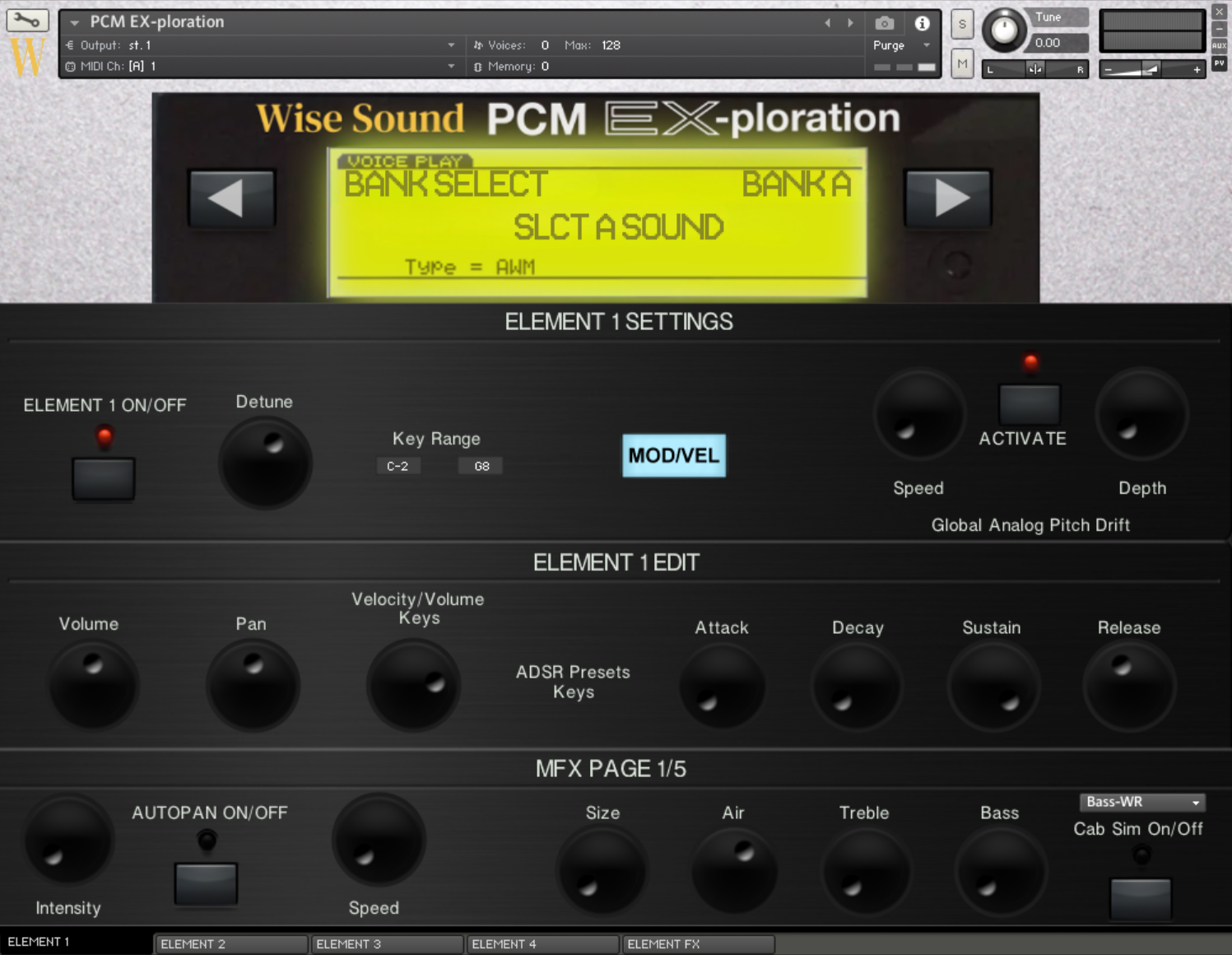
Choose a sound for each element, define its keyboard range, adjust its response and process it independently. Empty elements load no samples, allowing the instrument to remain efficient when fewer layers are needed.
Layering & Splits
Stack up to four sounds or assign separate key ranges to build performance zones.
Per-Element Controls
Edit detune, key range, volume, pan, velocity response and complete ADSR settings.
Poly & Mono Portamento
Choose traditional monophonic portamento or polyphonic movement for chords and layered parts.
Analog Pitch Drift
Add subtle global pitch movement for a less static, more vintage digital-synth character.
Master Effects
Access autopan, cabinet processing, flanging, chorus, portamento, delay and multiple reverb types.
Per-Element Effects
Process individual elements with chorus, delay, lo-fi, EQ, distortion and stereo-spread tools.

Per-Element Effects
Dedicated processing includes reverb, chorus, delay, lo-fi, EQ, distortion and stereo spread.

Master Effects System
Five master-effect pages include modulation, portamento, impulse-response reverb, plate reverb and delay.
Performance-Conscious Architecture
Smart RAM and Polyphony Management
PCM EX-ploration is designed to load only what you select and prevent repeated notes from building unnecessary voices.
Use the Sounds You Need. Load Nothing Else.
Each of the four elements loads its selected sample content independently. When an element is empty, it loads no samples and consumes no sample RAM.

One-Click Managed Delivery
Install PCM EX-ploration Through Pulse
Redeem the supplied product key, choose your preferred installation drive and allow Pulse to download, verify and extract the complete library.
Download Once. Access It Again.
Pulse replaces temporary browser links with a dedicated application for redeeming, installing, updating and re-downloading your library.
Complete the $40 purchase and receive your delivery information.
Download the free Pulse application and sign into your account.
Select Add a Product and enter the supplied redemption key.
Select an internal or external SSD and allow Pulse to complete installation.
See and Hear the Library
PCM EX-ploration Overview
Hear the sounds, see the interface and explore the four-element workflow before purchasing.

Product Walkthrough
Hear the Library Before You Buy
Watch the official overview for a closer look at the sound browser, snapshots, glide controls, effects and performance workflow.
Play Overview ▶Read Before Purchasing
Compatibility & Requirements
Confirm that you own Kontakt Full and have sufficient storage and memory before purchasing.
This Is Not a Kontakt Player Library
PCM EX-ploration requires the paid Full version of Kontakt 6.7.1 or newer. It may also be loaded in Kontakt 7 Full and Kontakt 8 Full. Pulse handles delivery but does not replace Kontakt and does not make the library compatible with the free Player.
How to Install with Pulse
PCM EX-ploration is delivered through Pulse, then opened as a third-party instrument inside Kontakt Full.
- Install Pulse and sign into your Pulse account.
- Select Add a Product and enter the supplied redemption key.
- Choose a reliable internal or external SSD.
- Allow Pulse to download, verify and extract the library.
- Open Kontakt Full and browse to the installed instrument folder.
Digital Delivery & Policy
This is a digital-download product. Confirm compatibility before purchasing and review the current Wise Sound policies and license.
- Digital products are non-refundable
- Delivery is handled through Pulse
- Redeemed products remain accessible through Pulse
- Commercial musical use is permitted under the EULA
Does PCM EX-ploration work in Kontakt Player?
No. It requires the paid Full version of Kontakt 6.7.1 or newer.
Can I load it in Kontakt 7 or Kontakt 8?
Yes. The same library can be loaded in Kontakt 7 Full and Kontakt 8 Full.
Should I add the library through Native Access?
No. The library is delivered through Pulse and opened through Kontakt Full’s file browser or Quick-Load system.
Can I re-download the library later?
Your redeemed product remains connected to your Pulse account and may be installed again when needed.
Is this a complete EX5 hardware emulation?
No. PCM EX-ploration focuses on sampled PCM sound character and does not recreate the original workstation’s additional synthesis technologies.
Can I use these sounds in commercial music?
Yes. Finished musical works and performances are permitted under the Wise Sound EULA.
Raw samples and library files may not be redistributed, resold or used to create another sample library.
Vintage PCM Sound for Kontakt
Explore the PCM Era for Only $40
Get 31 individual sounds, more than 40 snapshots, four editable elements, signature glide controls, extensive effects and managed Pulse delivery.
Digital download delivered through Pulse. Kontakt Full 6.7.1 or newer is required. All sales are subject to the current Wise Sound Terms & Conditions and End User License Agreement.